Hourly chimes scheduled locally on your iPhone or iPad — they ring on the lock screen, offline, even in airplane mode, without keeping the app running. Pick natural sounds, voice announcements in 10 languages, or a sound you record yourself, with guided notification setup to keep your lock screen calm.

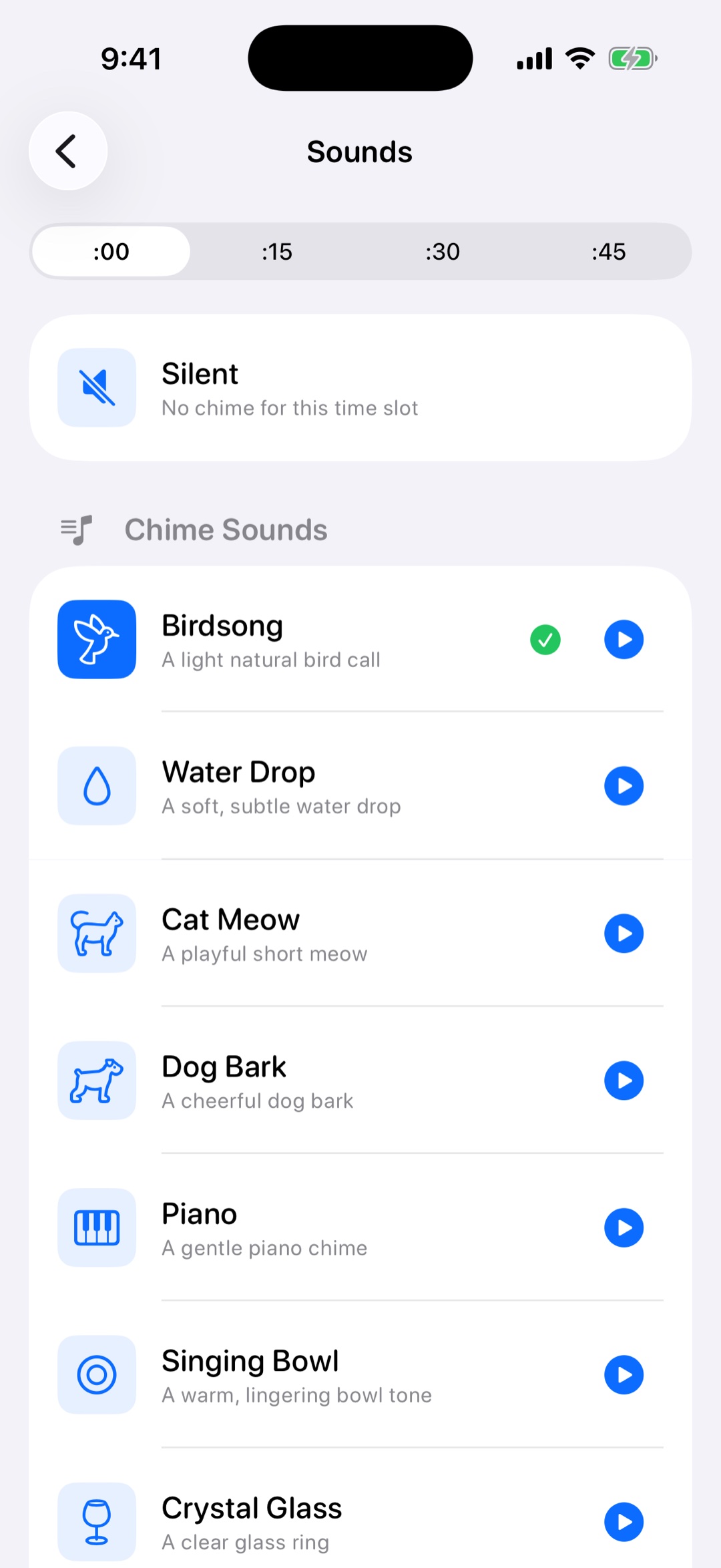
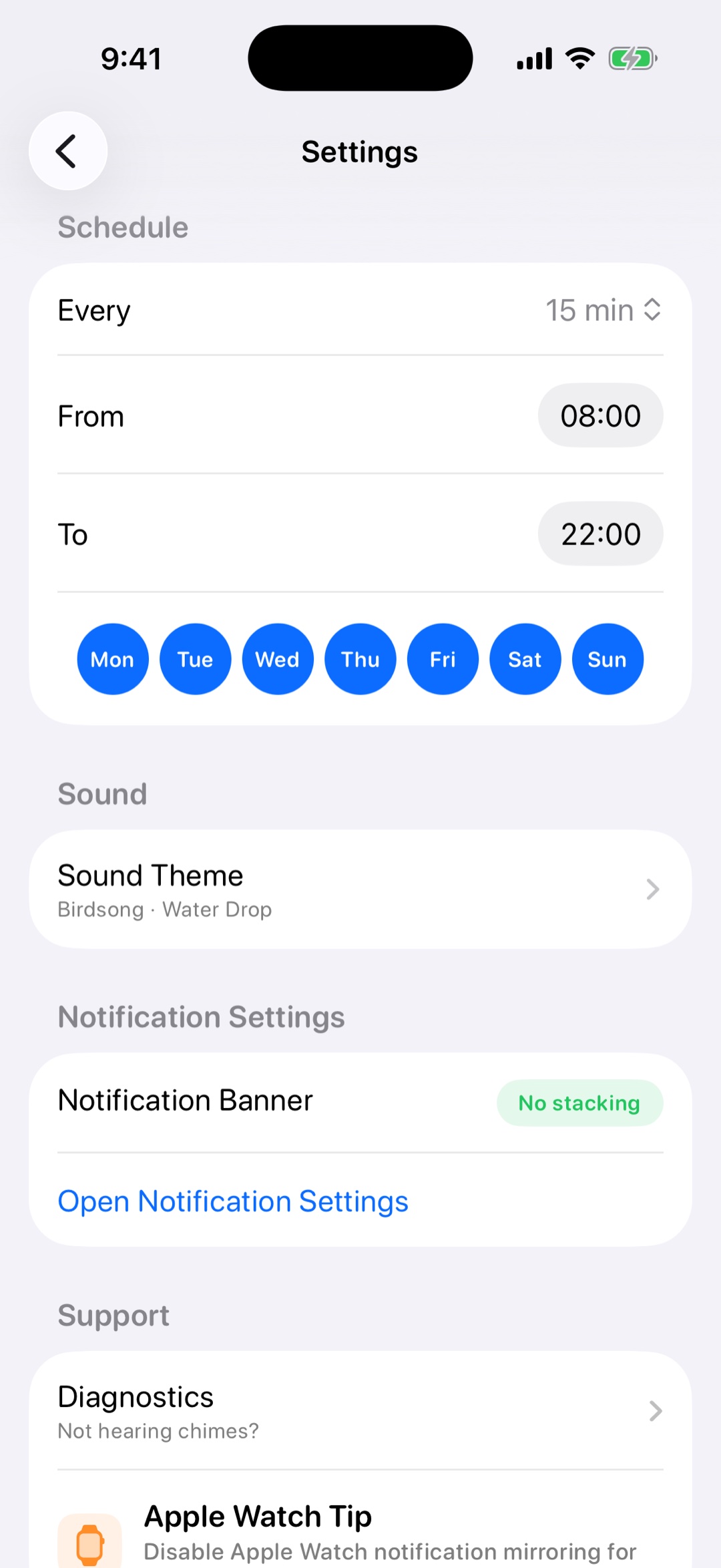
A natural AI voice tells you the time in 10 languages — short, calm, and gone. Prefer a tone over a voice? Pick from Westminster Chime, Singing Bowl, Birdsong, Crystal Glass, Water Drop, Piano, Digital Watch, Soft Beep, Cat Meow, or Dog Bark — 10 themes in total.
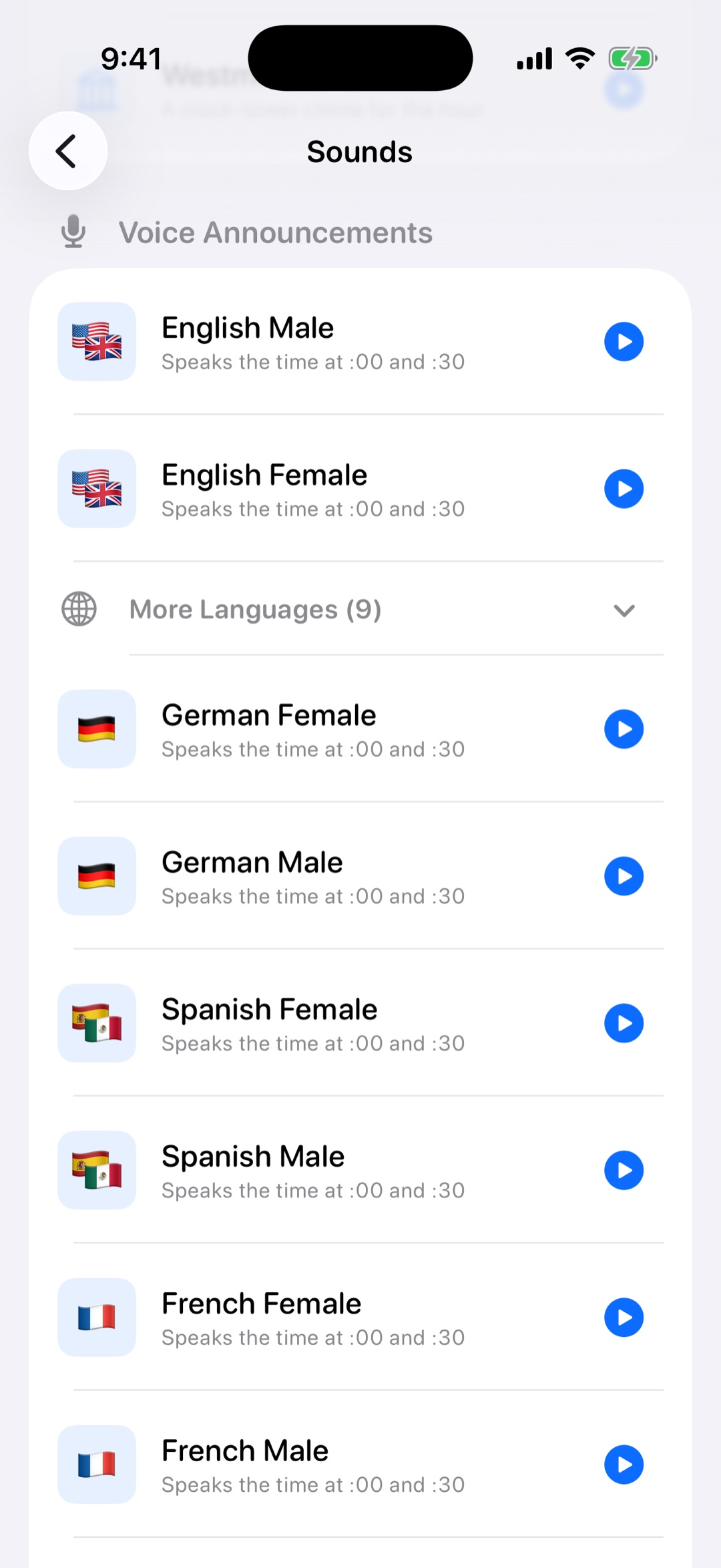
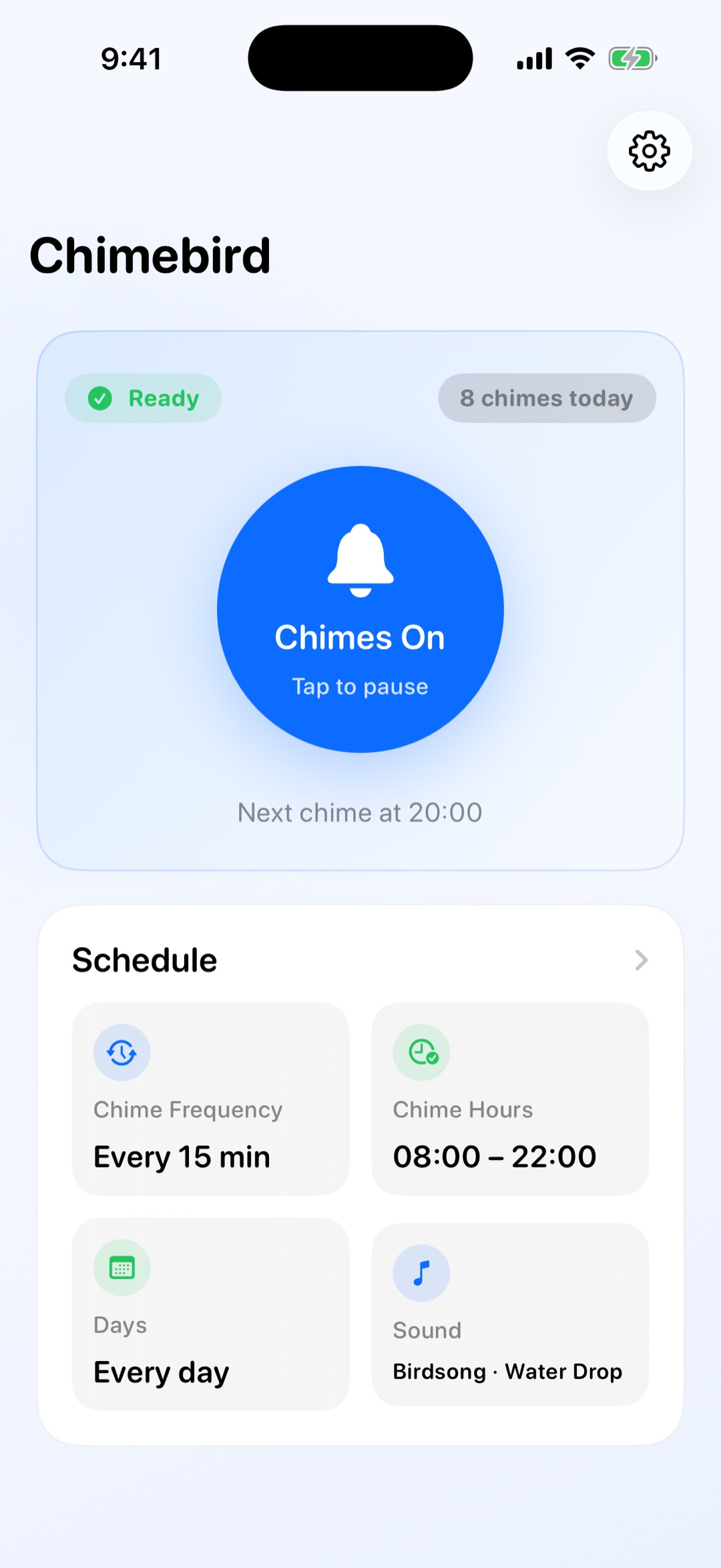
Hourly chimes free out of the box. Add 30, 15, or 10-minute Pro intervals when you want a tighter pulse. Active hours and weekday filters keep it quiet when you don't.
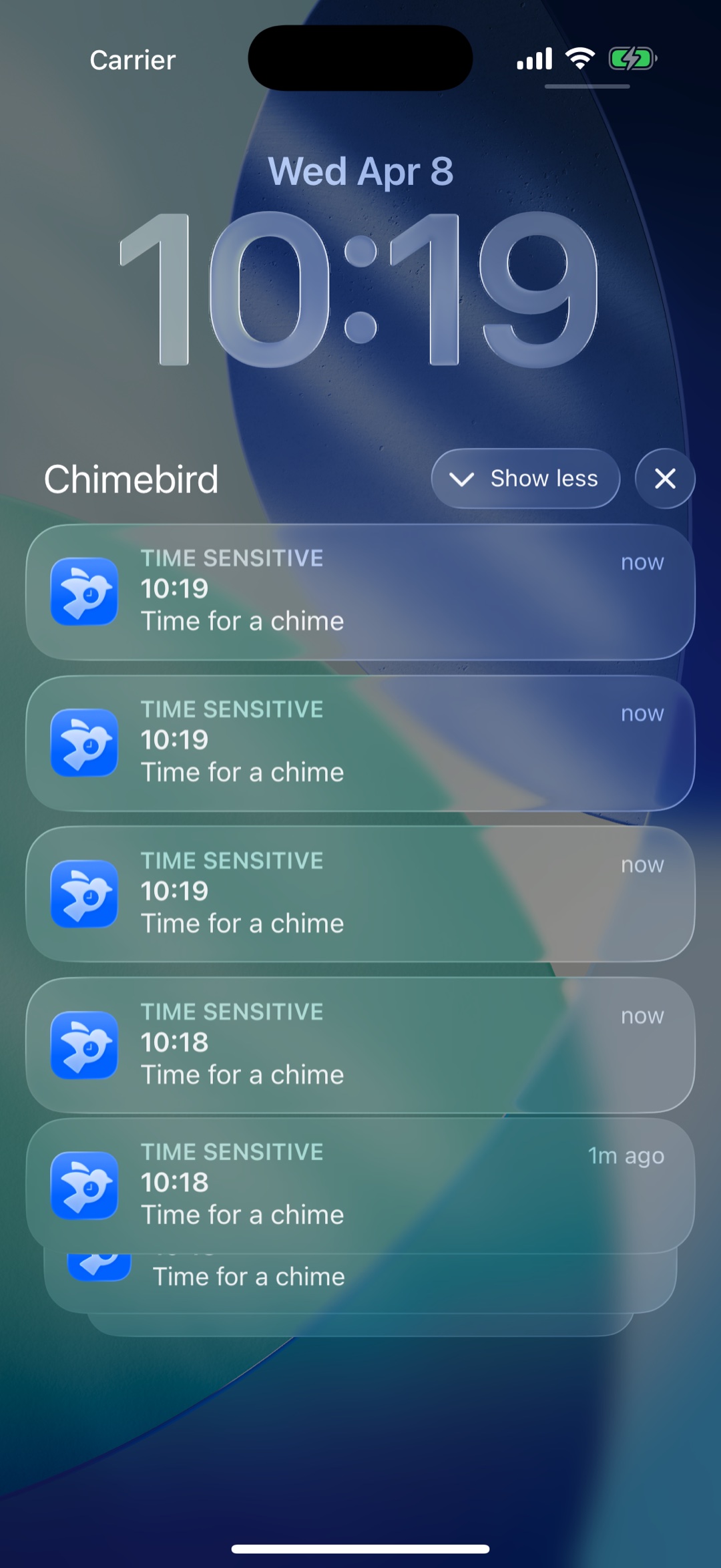
Most chime apps pile up dozens of banners on your lock screen. Chimebird helps you keep Sound on while turning banner display off in iOS settings. If you prefer banners, background cleanup removes older delivered chimes.
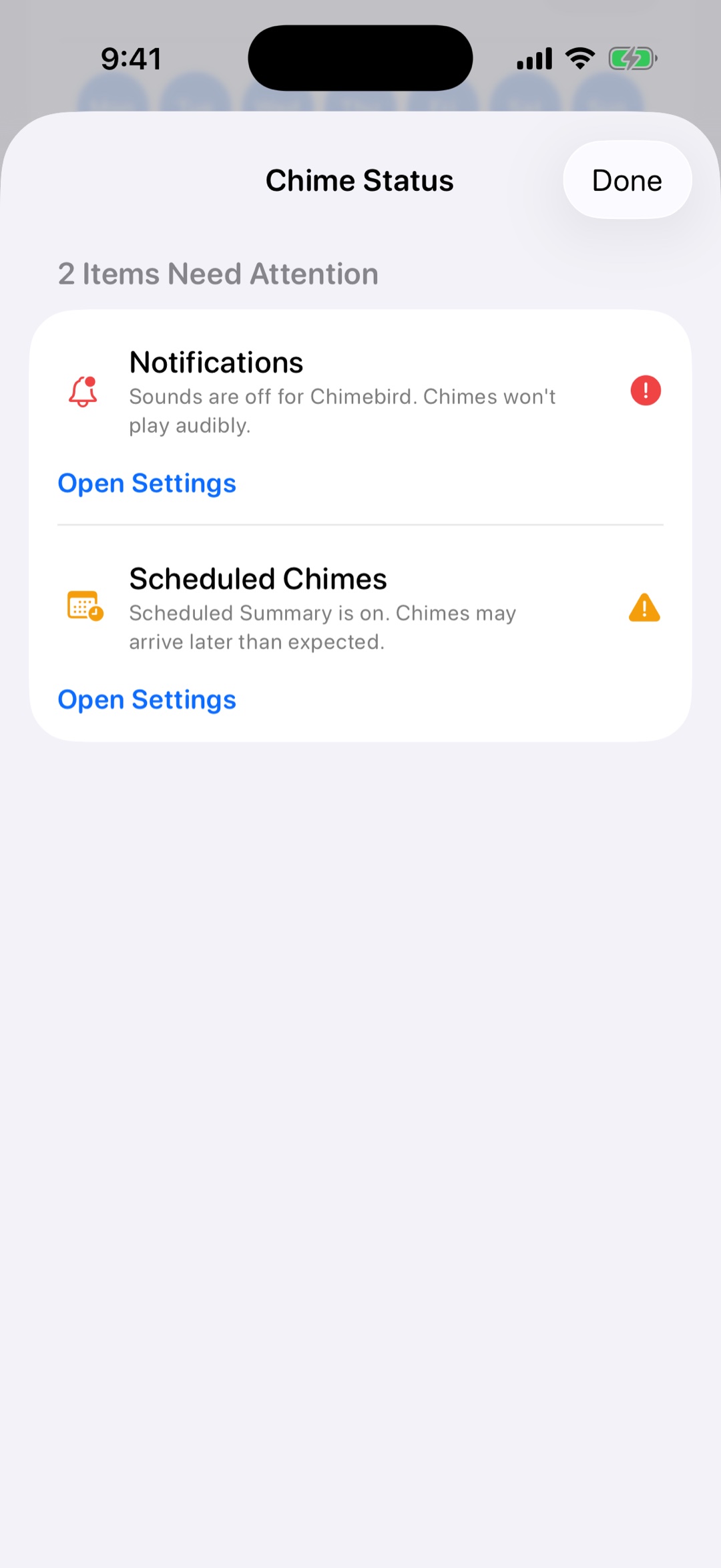
One tap shows what's wrong — permissions, system volume, silent switch, Focus mode — with one-tap fixes, not a guessing game.
Set it once and forget it — Chimebird schedules notifications ahead and has minimal battery impact.
Chimebird schedules local notifications ahead of time. Battery-friendly, runs in the background — set it once and forget it.
A low-distraction bell for pomodoro, timer routines, or your daily rhythm. Use it to keep focus, productivity, and sleep schedules on track.
Even in banner mode, each new chime replaces the previous one. Background cleanup runs every 15 minutes — your lock screen stays clean.
After a system upgrade or permission change, the built-in health check re-validates the chime pipeline so nothing breaks silently.
Chimes are scheduled as local notifications and play sounds stored on your device, so they ring even in airplane mode. Voice packs download once, the first time you pick one.
No ads, no advertising trackers, and no third-party analytics SDKs. Your settings and recordings stay on your device; the app only sends us anonymous usage statistics.
Record your voice or import an audio file, trim it to a short clip, and use it for every chime or just one time slot. Recording and previewing are free; chiming with it needs Pro.
In a meeting or heading to bed early? Pause chimes for an hour or until tomorrow and they come back on their own — or pause until you turn them on again.
Chimebird runs on iPhone and iPad with iOS / iPadOS 17 or later. Pro is tied to your Apple ID, so you can restore it on your other devices.
Configure once, then forget about it. Chimebird handles the rest.
Hourly chimes are free. Unlock 30, 15, or 10-minute Pro intervals when you want a tighter pulse. Set active hours and skip weekends if you like.
Browse 10 curated chime themes — birdsong, singing bowl, Westminster chime, and more — pick an AI voice that announces the time in your language, or record your own.
Chimebird schedules local notifications ahead of time and chimes on its own. No need to keep the app open — battery-friendly by design.
Deep work, pomodoro, study, mindfulness, remote work — and anyone with time blindness or a tendency to get absorbed for too long.
For anyone with weak time perception, or who hyperfocuses for too long — gentle chimes help you feel time pass and re-anchor your day.
Keep your work rhythm without constantly checking the clock. Know when to take breaks, join meetings, or wrap up.
Pair with the pomodoro technique, or stay aware of time during long study or reading sessions — without picking up your phone.
A single chime brings attention back to the present. Use periodic bells as a cue to pause and breathe.
Use low-distraction sounds to anchor your daily rhythm — wake up, meals, breaks, and wind-down reminders.
Chimebird is a chime app for iPhone and iPad that gently reminds you as time passes — using beautiful chimes, natural sounds, or spoken time announcements at the interval you choose. It works as a lightweight time reminder and time-management tool: useful for deep work, studying, mindfulness, remote work, the pomodoro technique, time blindness, ADHD, or simply noticing when you've been absorbed for too long. Hourly chimes are free; Pro unlocks 30, 15, and 10-minute intervals.
Chimebird helps you keep notification clutter low. In iOS notification settings, you can keep Sounds enabled while turning banner display off. If you keep banner mode on, Chimebird also cleans up older delivered chimes so your lock screen stays easier to scan.
Chimebird includes 10 sound themes: Westminster Chime, Singing Bowl, Birdsong, Crystal Glass, Water Drop, Piano, Digital Watch, Soft Beep, Cat Meow, and Dog Bark. The free tier includes Birdsong and Water Drop. Pro unlocks every theme plus the multilingual voice packs.
Yes. Record a clip with the microphone or import an audio file from Files (m4a, mp3, wav, and more), trim it to up to 10 seconds, and use it for every chime or just one time slot. Recordings stay on your device. Recording and previewing are free; using your own sound as a chime requires Pro.
Yes. Tap the big button on the home screen to pause chimes for an hour or until tomorrow — they resume on their own — or pause them until you turn them back on.
Pro includes voice packs in 10 languages — English, Mandarin Chinese, Korean, Japanese, German, Spanish, Portuguese, French, Italian, and Dutch — each available in male and female voices.
Yes. Chimebird was designed with ADHD users in mind. Regular gentle chimes act as audio anchors that help you stay aware of passing time without requiring you to check a clock. Many users with time blindness find that periodic chimes help break hyperfocus and maintain daily routines.
Chimebird respects your system settings. In Do Not Disturb or Focus modes, chimes may be silenced depending on your iOS notification settings. The built-in health checker will alert you if your current settings might prevent chimes from playing.
Chimebird is free to download. The free tier includes hourly (60-minute) chimes with two sound themes — Birdsong and Water Drop. Pro unlocks 30, 15, and 10-minute intervals, all 10 sound themes, every voice pack, and your own sounds as chimes: $9.99 / year or $19.99 lifetime in the US. Local pricing is shown in the App Store.
Not yet. Chimebird runs on iPhone and iPad; there is no Apple Watch app at the moment.
Chimebird has no account and never asks for your name or email. There are no ads and no ad tracking. Your settings and recordings stay on your device. The app sends us anonymous usage statistics (a random install ID, device model, iOS version, settings, and feature usage) and the push token our banner-cleanup service needs; RevenueCat handles purchase status. See our Privacy Policy for the full list.
Chimebird requires iOS 17 or iPadOS 17 or later. It works on every iPhone and iPad that can run them, including iPhone XS and newer.
Start free. Upgrade to Pro when you're ready — yearly or for life.
Download Chimebird free — hear the time pass without piling up notifications.